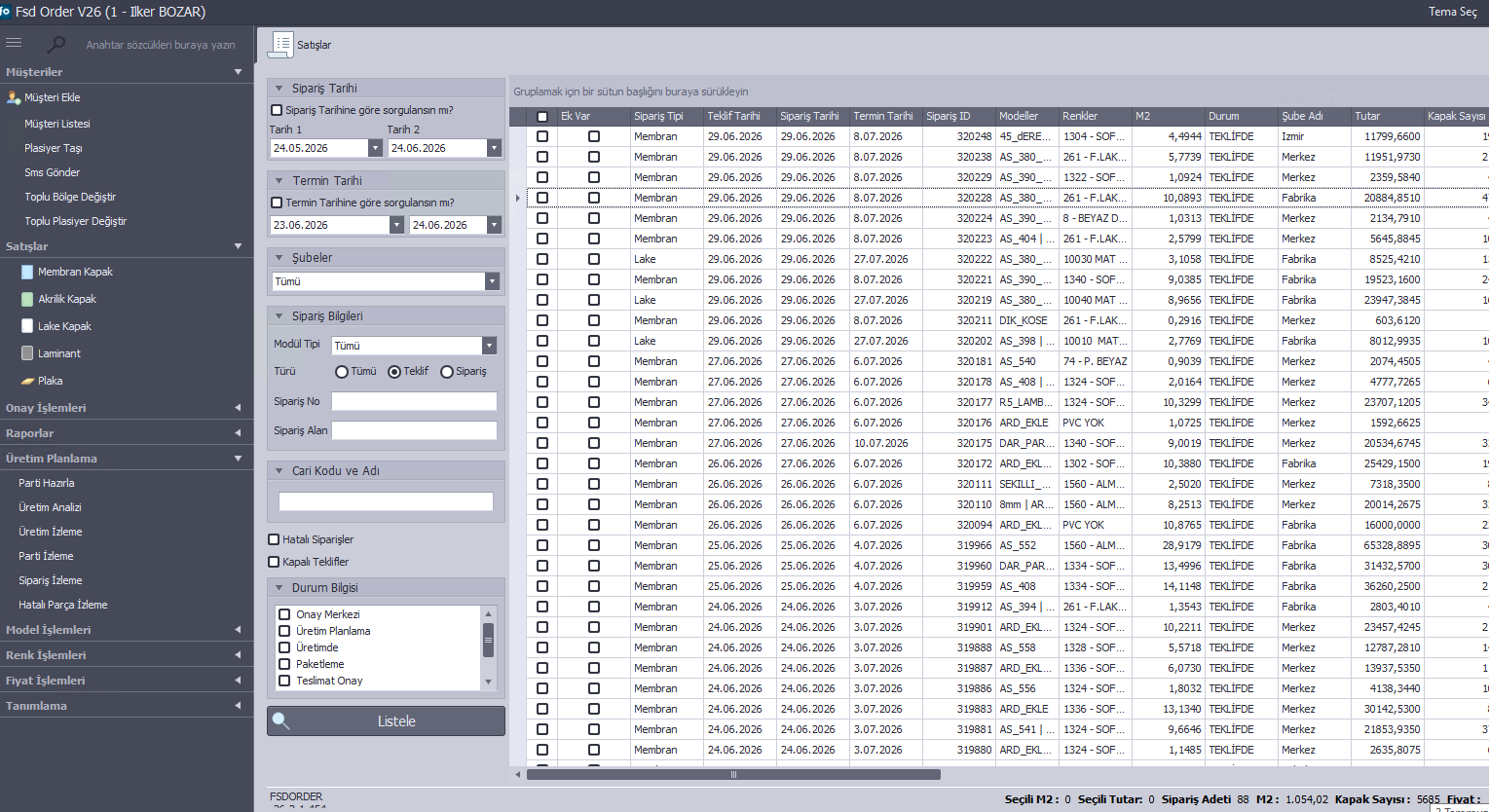
From order to shipment on one screen
Collect dealer orders on the web, follow production stages in real time and plan shipments. An industry first in order and production tracking software.
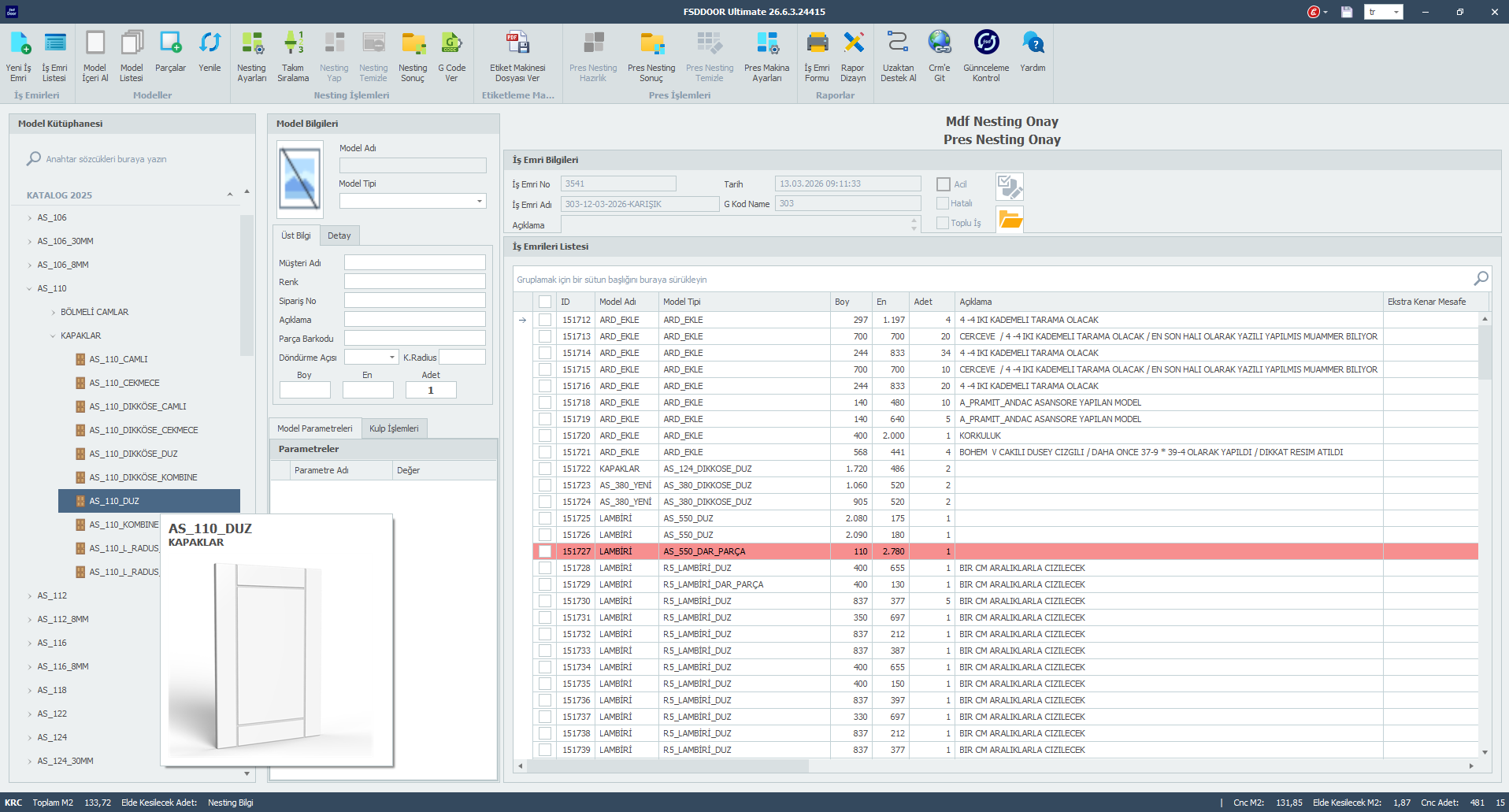
Parametric design, fully integrated with AlphaCAM
Unlimited cabinet door and door models, bulk data from Excel, multiple CNCs and nesting optimization
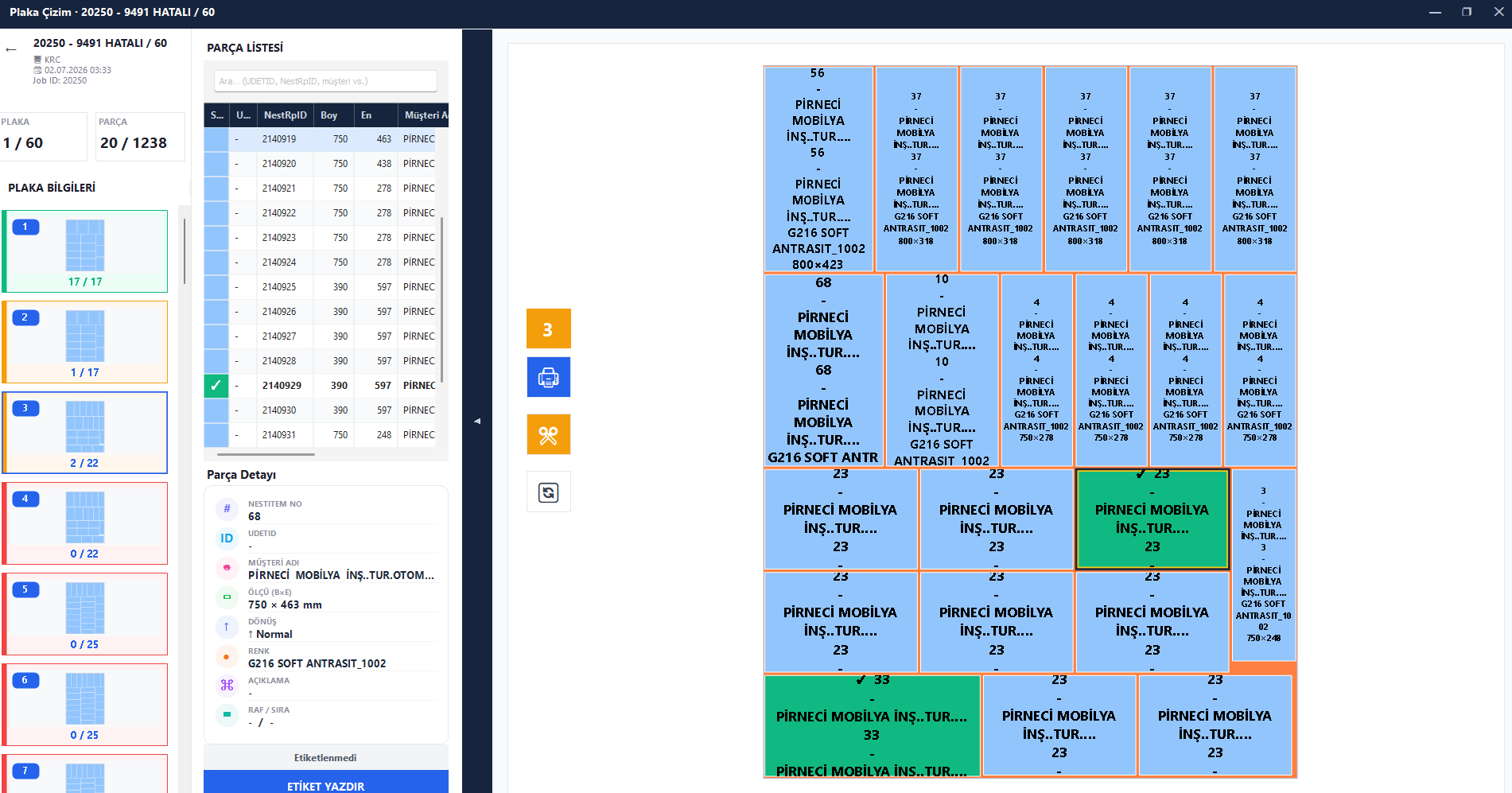
Every part labelled, every sheet under control
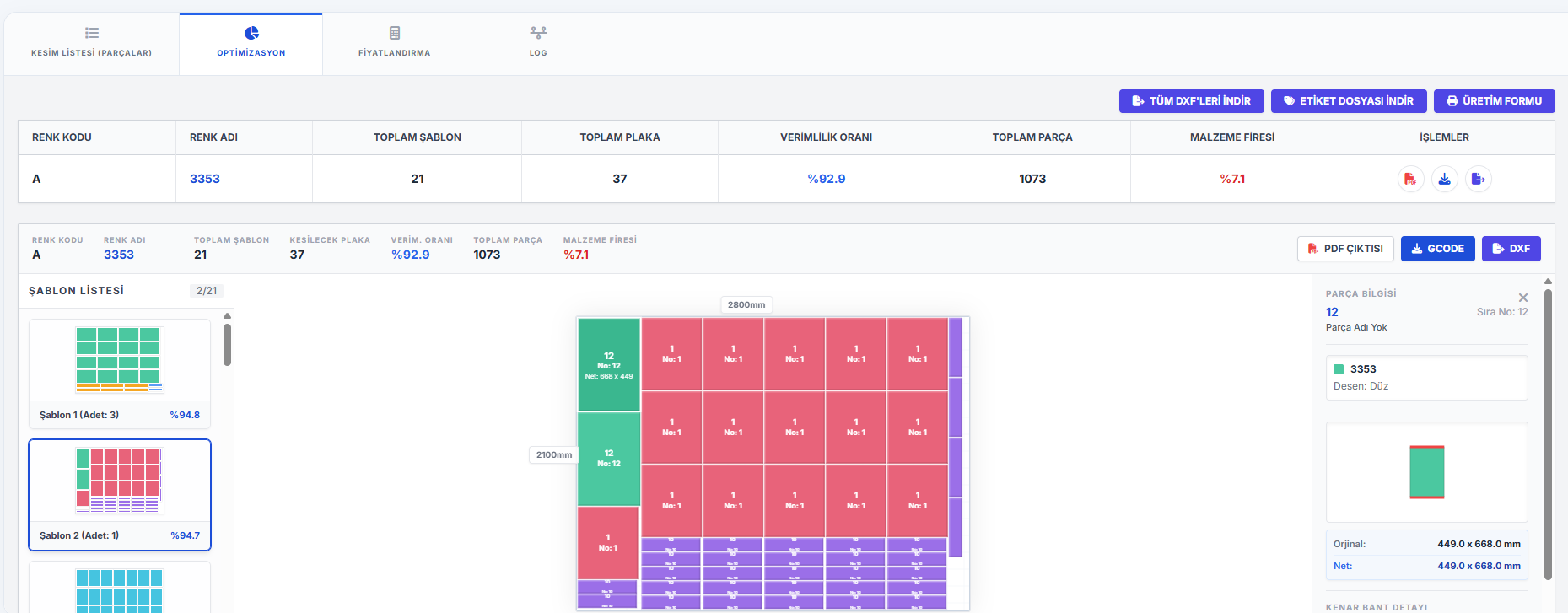
See nested sheets on screen exactly as cutting templates; print part labels in cutting order, in real time.
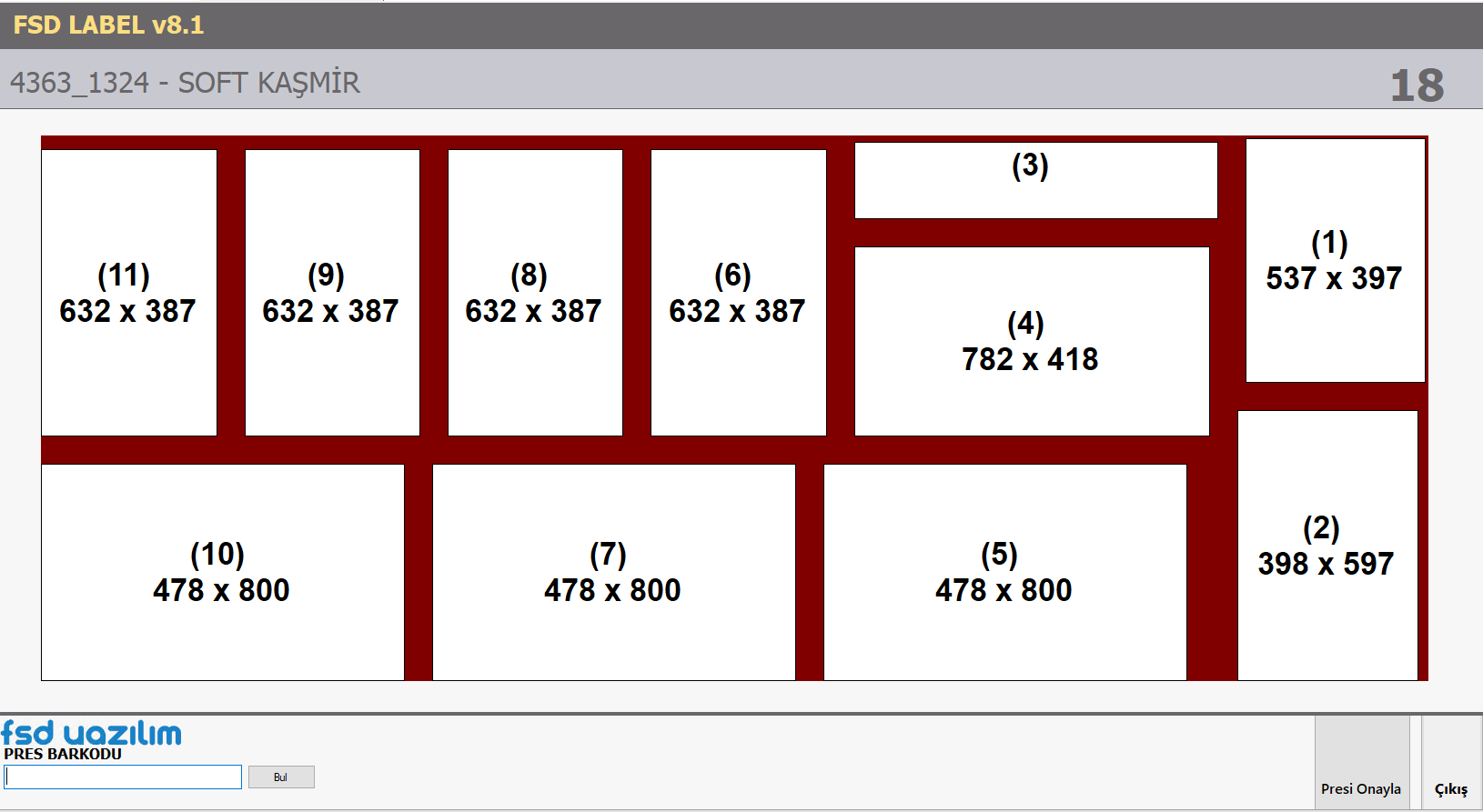
Minimum waste, maximum capacity on the press line
Distribute your orders across press trays with the most efficient layout; follow rack, colour and utilization in real time.
Cutting optimization is now in the cloud
Run nesting in the browser with nothing to install; upload your part list and download your cutting plan from anywhere.
Manage your production under one roof
Our software works fully integrated — with each other and with AlphaCAM.
From drawing to production, one program
Draw your part or import a DXF, DWG or STEP file; create toolpaths, watch production in simulation and generate G-code for your machine in one click.
- 2D/3D drawing and file import
- Realistic production simulation
- Parametric macros and the 3D Parametric Wall

From order to shipment, one screen
Collect dealer orders on the web; follow every stage of the line in real time with order- or part-based production tracking.
- Web-based dealer order entry
- Order- or part-based production tracking
- Accounting integration options
From parametric design to CNC
Define unlimited models and import sizes from Excel; toolpaths generate automatically and jobs flow straight to your CNC machines.
- Compatible with all AlphaCAM versions
- Multiple CNCs and machine-specific post processors
- Bulk size import from Excel
Every part labelled, every sheet under control
See nested sheets on screen exactly as cutting templates; print labels in cutting order, in real time.
- Exact sheet and cutting template preview
- Instant labels in cutting order
- Barcode / QR based part tracking
Minimum waste, maximum capacity on the press line
Distribute your orders across press trays with the most efficient layout; follow rack, colour and utilization in real time.
- Most efficient press tray layout
- Rack, colour and utilization tracking
- Full integration with FSD Order
Part shifting on the CNC ends here
Cutting optimization eliminates part shifting on the CNC; cuts come out accurate and clean.
- Part shifting problem eliminated
- Grain direction and edge-banding allowance
- Waste and sheet yield reports
Your catalog is now three-dimensional
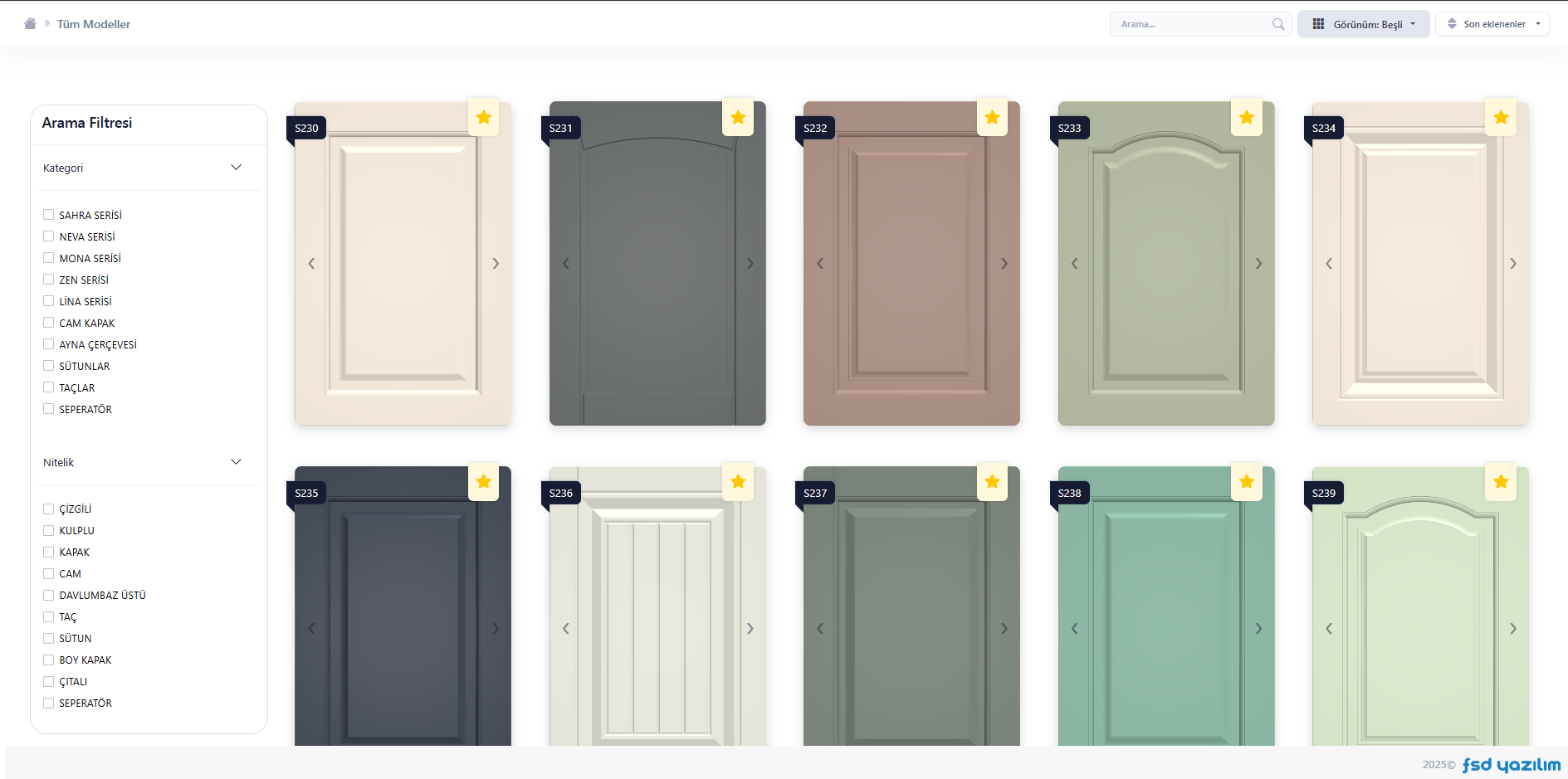
Move your product collection into a digital catalog with 3D models, colour and texture options; dealers order straight from the catalog.
- No-install access from any device
- 3D preview with colour and texture options
- From catalog to order with FSD Order
Cutting optimization is now in the cloud
Run nesting in the browser with nothing to install; upload your part list and download your cutting plan from anywhere.
- No installation, runs in the browser
- Part list upload from Excel
- Download your cutting plan anywhere
A product family that grows with your needs
From drawing to G-code in one program: 2D/3D drawing, toolpaths, material-removal simulation, nesting and parametric macros.
View Details
Your production goes digital in three steps
Let's analyse your company together
We study your entire workflow — from orders to production, accounting to shipment — and recommend the product combination that fits your company best; try it with your own orders during the demo.